


October 24, 2022
How Does Custom Mobile App Development Help Boost Your Business?
Enjoying this article?
Share it with the world!


Explore the benefits of custom mobile apps, compare custom vs off-the-shelf options
| ⚡ Quick Answer The benefits of custom mobile apps come from fit and control. A custom app matches your workflows, connects to your ERP or CRM, keeps your data and roadmap in your hands, and scales with demand. Build one when an off-the-shelf app cannot support a process that sets your business apart. |
Apps are now part of daily routines. Sensor Tower reports that consumers spent 5.3 trillion hours in apps in 2025, roughly 3.6 hours per day per mobile user. That attention creates real opportunity, and the benefits of custom mobile apps decide how much of it a business can capture.
This guide is for product owners, CTOs and founders weighing a build decision. It covers what a custom app enables, how it compares with ready-made software, which signals favor building, and how to plan the first release.
Key Benefits of Custom Mobile Apps
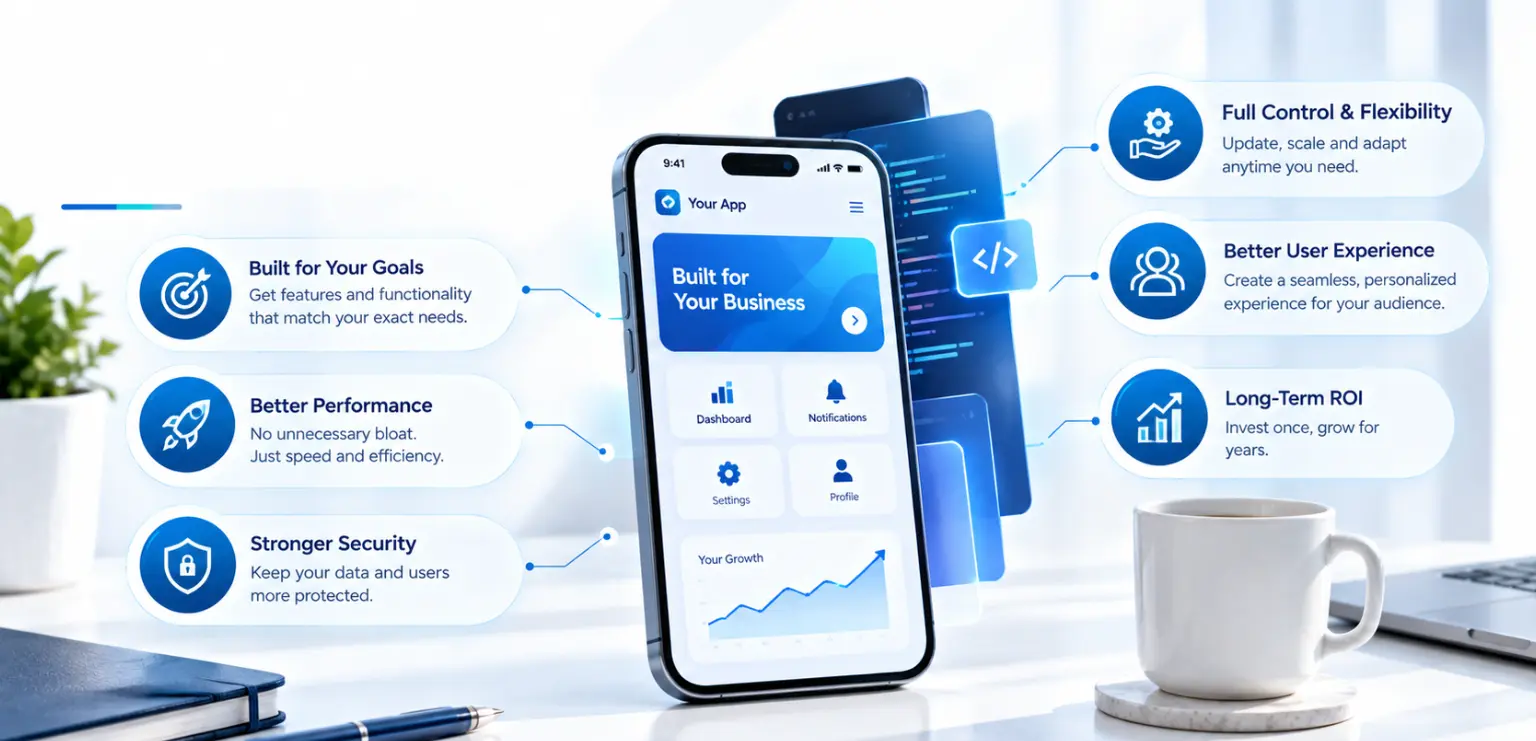
A custom app is designed around your users, processes and systems. Each benefit below maps to a business outcome you can measure.
Fit to Your Workflow
Your app follows the way your teams and customers already work. Field technicians, sales reps or patients see only the screens and steps they need. Fewer workarounds mean faster task completion and better adoption.
Integration With Existing Systems
Custom apps connect directly to the systems that run your business. Typical integrations include:
| ERP for inventory, orders and pricing | |
| CRM for customer history and service cases | |
| Identity providers for single sign-on | |
| Payment, logistics or analytics platforms through APIs |
Integration turns the app into a front end for your operations. Data flows both ways, so teams stop re-keying information.
Ownership of Data and Roadmap
You own the code, the data model and the release schedule. Features ship when your business needs them, in the order you choose. Customer and usage data stay under your governance policies.
Security Controls You Define
Security can match your risk profile and industry rules. Common controls include role-based access, multifactor authentication, encryption in transit and at rest, and audit logging. Standards such as OWASP MASVS give teams a clear checklist for mobile security.
Scalability Built Into the Architecture
A well-planned architecture grows with users, regions and features. Cloud back ends, modular code and clean APIs let you add capacity or new services without a rebuild.
Brand Experience and Engagement
The design, tone and interactions reflect your brand on every screen. Push notifications and in-app messages can share order updates, reminders or relevant offers. Used with care and clear user consent, they keep customers informed and coming back.
Custom App vs Off-the-Shelf App: A Balanced Comparison
The custom app vs off-the-shelf app choice depends on your goals, timeline and how unique your processes are. Both paths have clear strengths.
Where Off-the-Shelf Apps Shine
| Fast setup, often in days or weeks | |
| Predictable subscription pricing | |
| Vendor-managed updates, hosting and support | |
| Proven features for standard tasks such as ticketing, scheduling or basic commerce |
Where Custom Apps Shine
| Features shaped around your exact workflows | |
| Direct integration with internal systems and data | |
| Full ownership of code, data and roadmap | |
| Security and compliance controls set by your team | |
| A distinct brand experience customers recognize |
Cost and Time Trade-offs
Ready-made software usually costs less upfront and launches sooner. A custom build needs more initial investment and time, while it avoids per-user license growth and feature gaps later. Many teams combine both: off-the-shelf for commodity functions, custom for the experiences that differentiate them.
Smaller teams with simpler needs may find a ready-made tool is enough to start. Our guide to the benefits of mobile apps for small businesses explores that path.
When to Build a Custom App
Knowing when to build a custom app starts with your processes and growth plans. Building tends to pay off when several of these signals apply:
| Your core workflow is unique and gives you a competitive edge. | |
| Teams rely on workarounds, spreadsheets or several disconnected tools. | |
| The app must read and write data in your ERP, CRM or legacy systems. | |
| You handle sensitive data that needs specific security or regulatory controls. | |
| License costs grow quickly as users or locations increase. | |
| You want full control over release timing and product direction. | |
| The app is a primary channel for customer experience or revenue. |
If only one or two signals apply, a configurable off-the-shelf product may serve you well for now. You can revisit the decision as needs grow.
Custom App Features Worth Prioritizing
The best custom app features support your main business goal first. Start with a focused set and expand based on usage data.
High-value features often include:
| Secure sign-in: passkeys, single sign-on or multifactor authentication | |
| Role-based views: different screens for customers, staff and managers | |
| Offline mode: local storage and sync for field or low-signal use | |
| Integrations: live data from ERP, CRM, payments and inventory | |
| Notifications: push and in-app messages tied to real events | |
| Self-service: orders, bookings, payments and account changes | |
| Analytics: event tracking to guide the product roadmap | |
| Accessibility: support for screen readers, scalable text and good contrast, guided by WCAG |
Rank custom app features by user value and effort. Ship the essentials in the first release and save the rest for later iterations.
Planning a Custom App: Six Practical Steps
Good planning keeps scope, budget and timeline aligned. Here is a short overview:
| Define the outcome. Pick one or two measurable goals, such as faster order processing or higher repeat purchases. | |
| Map users and journeys. List who uses the app and the key tasks each person completes. | |
| Choose platforms. Decide between native iOS, native Android or a cross-platform approach, based on audience and device features. | |
| Plan integrations and data. Identify the systems, APIs and data rules the app depends on. | |
| Scope a first release. Build a focused version, test it with real users and learn from usage. | |
| Plan for launch and growth. Prepare app store listings, support, monitoring and a regular update cycle. |
Platform choice shapes cost and reach. An experienced Android app development company or iOS development company can help match platform decisions to your audience. For a stage-by-stage view, see our guide to the mobile app development process.
Key Takeaways
| The benefits of custom mobile apps center on workflow fit, integration, ownership, security and scalability. | |
| The custom app vs off-the-shelf app decision is often a blend: buy for commodity tasks, build for differentiation. | |
| Build when your workflow is unique, integration is essential, or license costs grow with scale. | |
| Prioritize custom app features that serve your main business goal, then expand using real usage data. | |
| Clear goals, user journeys and a focused first release make planning a custom app predictable. |
Frequently Asked Questions
| What are the main benefits of custom mobile apps? The main benefits of custom mobile apps are a close fit to your workflows, direct integration with systems such as ERP and CRM, and full ownership of code, data and roadmap. Custom apps also let you set security controls, scale the architecture as you grow, and deliver a consistent brand experience to every user. |
| How do I know when to build a custom app? Consider when to build a custom app by checking your processes. Building makes sense when your workflow is unique, the app must connect to internal systems, or you handle sensitive data with specific rules. Rising per-user license costs and a need to control your release schedule are also strong signals. |
| Is a custom app more expensive than an off-the-shelf app? A custom app usually needs more upfront investment and time. Ready-made tools charge recurring fees that can grow with users and add-ons. Over several years, a custom build can be cost-effective when it replaces several subscriptions, removes manual work, or supports revenue that a generic tool cannot handle. |
| Can a custom app work with our existing ERP or CRM? Yes. Integration is one of the strongest reasons to build. A custom app can read and write data through the APIs of your ERP, CRM, payment and identity systems. Teams then work from one source of truth, and customers see accurate stock, order status and account details in real time. |
| What should a first release include? A first release should include only the features needed to deliver your main goal. Typical essentials are secure sign-in, the core user journey, key integrations and basic analytics. Launching a focused version lets you learn from real usage and plan the next set of features with confidence. |
| How long does planning a custom app take? Planning a custom app usually takes a few weeks, depending on the number of users, integrations and compliance needs. The work covers goals, user journeys, platform choice, data and integration mapping, and a scoped first release. Time spent here reduces rework during design and engineering. |
Build an App That Fits Your Business
The benefits of custom mobile apps grow when the app is shaped around your goals, systems and users. If you are weighing the build decision, Impressico can help you assess fit, plan integrations and scope a focused first release.
| Weighing build against buy? We start with your workflows and integrations, because those decide the answer more often than budget does. |
Impressico Business Solutions — custom mobile app development across iOS, Android and hybrid, with the integration work that makes an app useful.

IBS
Similar articles

AI in Mobile App Development: What the Research Actually Shows
July 9, 2025
Mobile App Testing Process: Types, Devices and Automation Explained
November 4, 2022
Importance of Mobile App Testing: 7 Benefits for Quality and Growth
October 12, 2022
How Does Mobile App Development Benefit A Small Business?
September 18, 2022
How Mobile Apps Help Businesses Grow: 7 Growth Levers That Compound
September 16, 2022
Android App Development Trends that You Should Know
July 15, 2022
