


November 4, 2022
Mobile App Testing Process: Types, Devices and Automation Explained
Enjoying this article?
Share it with the world!


Learn the mobile app testing process step by step
| ⚡ Quick Answer The mobile app testing process moves from a test strategy and device matrix, through planning, functional and non-functional testing, to automated regression in CI, beta distribution and post-release monitoring. Most teams combine emulators and simulators for speed, real devices for accuracy, and cloud device labs for coverage. |
A clear mobile app testing process gives product owners and engineering leads a repeatable way to ship quality releases on two platforms at once. It turns testing from a final gate into a set of steps that run alongside every sprint.
This guide explains each step, the main test types, how to choose between real devices and virtual ones, and which mobile test automation tools fit each platform. If you want the business case first, read our companion piece on the importance of mobile app testing.
What Is the Mobile App Testing Process?
The mobile app testing process is the ordered set of activities a team uses to confirm that an app works, performs and stays secure across the devices, OS versions and networks its users actually have.
It sits inside the wider mobile app development process, starting at discovery and continuing after launch. A well-run process balances manual testing for exploration and usability with automated testing for speed and repeatability.
The Mobile App Testing Process, Step by Step
Each step below builds on the previous one. Teams can enter at any point, but skipping the early steps usually makes the later ones slower.
1. Define the test strategy and device matrix
Start with audience analytics. Look at which OS versions, device models, screen sizes and regions your users rely on, then build a device matrix around them.
| Cover the top devices by usage share, plus the oldest supported OS version. | |
| Include tablets and foldables where your audience uses them. Apps targeting Android 17 must adapt to large screens, because orientation and resizability restrictions are ignored there. | |
| Decide which risks matter most: payments, personal data, offline use or media. |
2. Plan the tests
Translate the strategy into a test plan. Define scope, entry and exit criteria, environments, test data and ownership.
Map test cases to user stories so every feature has acceptance checks. Agree on defect severity levels early, so triage stays fast during releases.
3. Run functional testing
Functional tests confirm that features behave as specified. Typical checks include:
| Sign-up, login, passkeys and session handling | |
| Core user journeys such as search, checkout or booking | |
| Push notifications, deep links and permissions prompts | |
| Form validation, error messages and offline behavior |
4. Run non-functional testing
Non-functional tests check how well the app works, beyond whether it works.
| Performance: launch time, screen rendering, memory use and API response under load. | |
| Security: verify storage, cryptography, authentication, network communication and privacy controls against OWASP MASVS. | |
| Accessibility: test with TalkBack and VoiceOver, check contrast, touch target size and dynamic text, using WCAG as the reference. | |
| Usability: watch real users complete key tasks and note friction. | |
| Compatibility: confirm layouts and behavior across the device matrix. On Google Play, updates to apps targeting Android 15 or higher must support 16 KB memory page sizes, so include that check in native builds. | |
| Network conditions: simulate slow, lossy and switching connections, and airplane mode. | |
| Interruptions, battery and install/upgrade: test incoming calls, notifications, backgrounding, low battery, fresh installs and upgrades from older versions with existing data. |
5. Automate regression in CI
Once features stabilize, move repeatable checks into automated suites that run on every pull request or nightly build. Fast unit and UI smoke tests should gate merges; longer device runs can run on a schedule.
6. Distribute beta builds
Use TestFlight for iOS and Google Play’s internal, closed and open testing tracks for Android. Beta users surface real-world issues that lab testing can miss, such as unusual device settings or regional network behavior.
7. Monitor the release
Testing continues after launch. Use staged rollouts on Google Play and phased release on the App Store, then watch crash reports, Android vitals, Xcode Organizer metrics and store reviews. Feed every production issue back into the test plan.
Types of Mobile App Testing at a Glance
The types of mobile app testing below map to the steps above. Most teams use all of them, at different depths for different features.
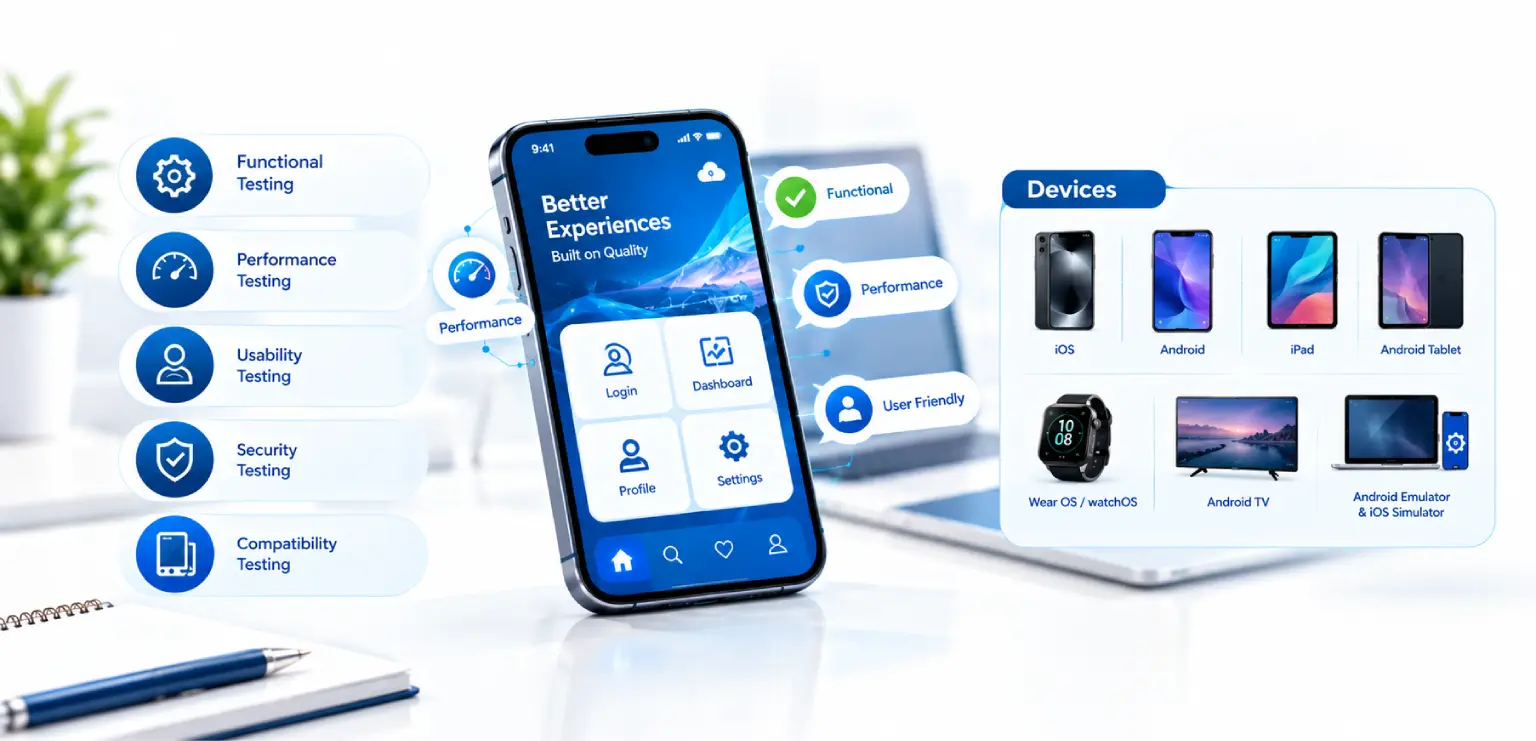
| Unit testing: checks individual functions and classes; runs in seconds. | |
| Integration testing: verifies that modules, APIs and third-party SDKs work together. | |
| UI and functional testing: drives the interface the way a user would. | |
| Performance testing: measures speed, memory and battery behavior. | |
| Security testing: follows OWASP MASVS and its companion testing guide. | |
| Accessibility testing: validates screen reader support and WCAG criteria. | |
| Compatibility testing: covers devices, OS versions and screen sizes. | |
| Regression testing: confirms new changes did not break existing features. | |
| Beta and user acceptance testing: validates the app with real users before full release. |
The right emphasis depends on risk. A banking app leans heavily on security testing; a media app leans on performance and network tests.
Real Devices vs Emulators and Simulators
The real devices vs emulators question is less about choosing one and more about using each where it fits best.
Android Emulator
The Android Emulator runs a full Android system image on your computer and emulates device hardware. It supports many device profiles, OS versions and sensors, and it is the default choice for early development and CI runs.
iOS Simulator
The iOS Simulator, part of Xcode, runs your app as a native Mac process against iOS frameworks. It does not emulate the device hardware. That makes it very fast, but camera, some sensors and true performance characteristics need a physical device.
Real devices
Real devices show actual performance, thermal behavior, battery drain, biometric flows, camera use and manufacturer customizations. They are essential before every release.
A practical split for real devices vs emulators:
| Emulators and simulators for unit, UI and smoke tests during development | |
| Real devices for performance, hardware features and final release checks | |
| A small in-house set of key devices, plus cloud access for wider coverage |
Cloud Device Testing: Scaling Your Device Matrix
Cloud device testing gives teams remote access to large pools of real and virtual devices without buying and maintaining them. Device farms such as Firebase Test Lab, AWS Device Farm and BrowserStack let you run automated suites and manual sessions on many models in parallel.
When choosing a provider, consider:
| How well the provider’s device list matches your device matrix | |
| Support for your test frameworks and CI pipeline | |
| How test data and app builds are handled, and whether that meets your data protection policies | |
| Access to logs, videos and performance traces for debugging |
Mobile Test Automation: Tools and What to Automate First
Good automation starts with the right framework for each layer of the app.
| Espresso: Google’s Android UI testing framework. It runs inside the app process and syncs with the UI thread, which keeps tests fast and stable. | |
| XCUITest: Apple’s UI testing framework within XCTest, written in Swift and run from Xcode or CI. | |
| Appium: an open-source, WebDriver-based tool that drives Android and iOS apps from one codebase in several languages. | |
| Maestro: a cross-platform framework that describes user flows in simple YAML, useful for quick end-to-end coverage. |
What to automate first
| Unit tests for business logic and data handling | |
| Smoke tests for launch, login and the top user journey | |
| Regression checks for flows that break most often | |
| API contract tests behind key screens | |
| Stable, high-traffic UI flows; leave fast-changing screens manual until they settle |
Our article on the business value of test automation covers how to measure the return on these suites.
Key Takeaways
Five things to carry into planning
| A mobile app testing process runs from strategy and device matrix to release monitoring and continues after launch. | |
| Base your device matrix on audience analytics, including large screens where relevant. | |
| Combine functional, security (OWASP MASVS), accessibility (WCAG), performance and compatibility testing. | |
| Use emulators and simulators for speed, real devices for accuracy, and cloud device labs for breadth. | |
| Start mobile test automation with unit and smoke tests, then expand into regression in CI. |
Frequently Asked Questions
| What are the main steps in a mobile app testing process? The main steps are: define a test strategy and device matrix, plan tests, run functional testing, run non-functional testing such as performance, security and accessibility, automate regression in CI, distribute beta builds through TestFlight or Google Play testing tracks, and monitor the live release. Results from monitoring then feed the next cycle. |
| What is the difference between an emulator and a simulator? An emulator, such as the Android Emulator, reproduces device hardware and runs a full OS image. A simulator, such as the iOS Simulator, runs the app natively on a Mac against iOS frameworks without emulating hardware. Simulators are faster, while emulators are closer to the device; neither fully replaces testing on real devices. |
| What are the types of mobile app testing? Common types of mobile app testing include unit, integration, UI and functional, performance, security, accessibility, compatibility, regression, and beta or user acceptance testing. Teams also run network, interruption, battery and install or upgrade tests. The right mix depends on the app’s risks, such as payments, personal data or offline use. |
| Which tools are used for mobile test automation? Espresso is the standard for Android UI tests and XCUITest for iOS. Appium drives both platforms from one codebase, and Maestro offers quick cross-platform flows written in YAML. Teams often run these suites on emulators in CI and on cloud device farms such as Firebase Test Lab, AWS Device Farm or BrowserStack for wider coverage. |
| Is cloud device testing a replacement for in-house devices? Cloud device testing complements in-house devices. A small set of physical devices suits daily debugging and hardware features, while cloud labs add breadth across models and OS versions. Many teams keep a few key devices on hand and run wider regression and compatibility suites in the cloud on a schedule or before release. |
Testing Process That Scales With Your App
A structured process helps every release reach users with confidence. Impressico’s QA team supports functional and non-functional testing, including interruption, battery, install and upgrade, and network checks.
Explore our mobile application testing services to plan your device matrix and automation strategy, or see how testing fits into our mobile app development services.
| Ready to plan your device matrix? We start from your audience analytics, because that decides which devices are worth testing on before anything else does. |
Impressico Business Solutions — mobile application testing, test automation and the QA practice behind dependable releases.

IBS
Similar articles

AI in Mobile App Development: What the Research Actually Shows
July 9, 2025
How Does Custom Mobile App Development Help Boost Your Business?
October 24, 2022
Importance of Mobile App Testing: 7 Benefits for Quality and Growth
October 12, 2022
How Does Mobile App Development Benefit A Small Business?
September 18, 2022
How Mobile Apps Help Businesses Grow: 7 Growth Levers That Compound
September 16, 2022
Android App Development Trends that You Should Know
July 15, 2022
