Home » Blog » Rehost, Replatform, Refactor, Rebuild: Choosing the Right Modernization Path (the 6 R’s)
July 1, 2026
Rehost, Replatform, Refactor, Rebuild: Choosing the Right Modernization Path (the 6 R’s)
Table of Contents
Discover more content
Enjoying this article?
Share it with the world!
Rehost, Replatform, or Refactor? The 6 R's Explained
⚡ QUICK ANSWER
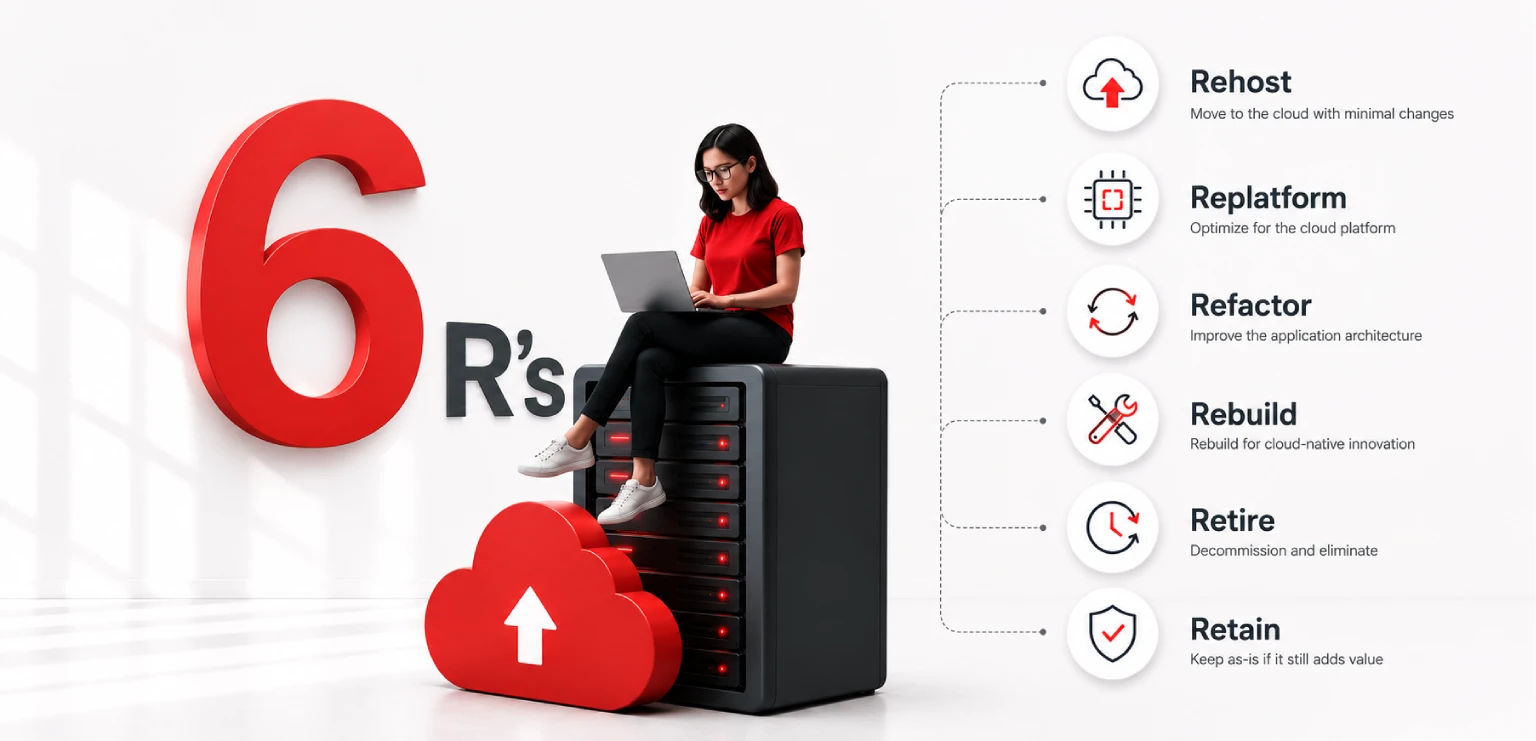
The 6 R’s of application modernization — Rehost, Replatform, Refactor, Repurchase, Retire, and Retain — give you a structured way to assign every system a path instead of guessing. Rehost to move fast, replatform for smart tweaks, refactor to rebuild core systems properly, repurchase when SaaS does it better, retire what’s unused, and retain what shouldn’t move yet. Not everything needs the same treatment.
There is a good chance your software is already telling you something is wrong. Maybe it goes down at the worst possible moment. Maybe your developers spend more time keeping the lights on than actually building new things. Or maybe you are still sitting on a legacy data warehouse so old that nobody on the current team even remembers who built it.
Whatever is happening, you already know change is coming. The harder question is what kind of change, and where to even start.
This is where a lot of modernization efforts fall apart before they begin. Companies try to do too much at once, or they pick an approach without really thinking about whether it fits. The 6 R’s of application modernization exist specifically to solve this problem. They give you a simple but practical way to look at every system you have and decide what the right move is for that specific system. (For a broader view of the same challenge, our CIO’s guide to legacy application modernization walks through how rehosting, replatforming, and refactoring fit into a wider cloud-native strategy.)
Let us go through each one so you actually understand what you are choosing and why.
First, What Does Application Modernization Actually Mean?
Taking older software and updating it so it works better today
It sounds like a big buzzword, and honestly it gets thrown around a lot. But the core idea is simple. Application modernization means taking software that was built years ago, using older technology and older ways of thinking, and updating it so it works better today.
That could mean moving it to the cloud. It could mean changing how it is structured. It could mean replacing it entirely with something modern. Or in some cases, it could mean turning it off because it has outlived its usefulness.
The reason this matters so much right now is that old software, what people call legacy systems, is genuinely expensive to run. It eats up IT budgets on maintenance. It creates security gaps. It limits how fast the business can move. And as teams grow and data volumes increase, the cracks become harder to ignore.
A proper cloud migration strategy built around the 6 R’s helps you stop guessing and start making decisions based on what each system actually needs.
The 6 R’s: What They Are
Originally from Gartner, later built on by AWS
The framework originally came from Gartner, and AWS later built on it. The six options are:
The 6 R’s of Application Modernization
Rehost
Lift and Shift
Move it to the cloud as is, without touching the code.
Replatform
Lift, Tinker, and Shift
Move it, but swap a few components for managed cloud services.
Refactor
Re-architect
Redesign it into modern, cloud-native, independent services.
Repurchase
Replace off the shelf
Stop building and buy a modern SaaS product instead.
Retire
Shut it down
Turn off systems nobody uses or that overlap with something better.
Retain
Leave it for now
Leave it alone for now — with a date to revisit it.
When you do a migration assessment, you go through your application portfolio and assign each system one of these. Some things get moved quickly. Others get rebuilt. A few get turned off entirely. That is normal. The whole point is that not everything needs the same treatment.
Rehost: Move It as Is
Lift and shift — buys you time when speed matters most
Rehosting means you pick up your application and put it in the cloud without touching the code. Same software, same structure, just running on cloud servers instead of your old hardware.
People call this lift and shift for a reason. You lift the application out of its current home and shift it somewhere new. Nothing fundamentally changes about how it works.
This approach makes the most sense when you are in a hurry. Maybe you need to shut down a data center by a certain date. Maybe your on-premises hardware is reaching end of life. Maybe there is a business reason to get things into the cloud now, even if you will revisit them later.
Take a company running a financial reporting tool on physical servers in a basement somewhere. They move it to AWS EC2 instances. The tool behaves exactly the same way. But now the servers are someone else’s problem, and the business gets some basic cloud benefits like better uptime and lower infrastructure costs. This is the kind of work our DevOps & Cloud Services team handles day to day, from provisioning to ongoing operations.
The trade-off is that you are not really solving anything architectural. You are moving your old problems to a new address. Lift and shift buys you time, and sometimes that is exactly what you need. Just do not mistake it for the finish line.
Replatform: Move It, but Make a Few Smart Tweaks
Between doing nothing and doing everything
Replatforming sits between doing nothing and doing everything. You still move the application to the cloud, but along the way you swap out one or two components for managed cloud services that make life easier.
You are not rewriting the core application. You are just replacing specific parts that are causing friction.
A common example is the database. A company moves its application to the cloud and, instead of managing their own database servers, they switch to something like Amazon RDS. The application code barely changes. But now the database is fully managed, which means no more patching servers at two in the morning or worrying about backups.
This is a good option when the core logic of the application is sound and the team does not have the bandwidth or budget for a full rebuild. You get real cloud benefits, but you are not betting the farm on a massive rewrite.
The downside is that it takes a bit more thought than a straight lift and shift. You need to know which pieces are worth replacing and which ones are fine as they are.
Refactor: Rebuild It the Right Way
The most involved — and the most rewarding when done well
This one is the most involved, and also the most rewarding when it is done well.
Refactoring means you redesign the application itself. You break it apart into smaller, independent services, often called microservices, and rebuild it using modern cloud-native tools and patterns. The goal is to end up with something that is fast, flexible, and easy to update without everything depending on everything else. (We cover this monolith-to-microservices shift in depth in our guide to application modernization on AWS.)
REHOST VS. REFACTOR
Here is the clearest way to understand the difference between rehosting and refactoring. Rehosting is moving a house to a new lot. Refactoring is tearing it down and building a better one in its place. Same general purpose, completely different result.
Picture a large e-commerce company running everything through one giant application. Every time they want to change the checkout flow, they have to be careful not to break the inventory system. Every deployment is a risk. Refactoring would mean breaking checkout, inventory, product recommendations, and everything else into separate services that run independently. Now each team can work on their piece without stepping on anyone else’s toes.
The upside is significant. You end up with an application that can scale specific parts based on demand, that is easier to update, and that is far more resilient when something goes wrong.
The downside is that it takes time, money, and the right engineering talent. This is not something you rush. A poorly planned refactor can be worse than doing nothing at all.
Refactoring is also the right answer for legacy data warehouse modernization. Old warehouses built on outdated on-premises infrastructure are notoriously painful to work with. Queries take ages. Adding new data sources is a lengthy project. Storage costs keep climbing. Moving to a cloud-native data platform like Snowflake, BigQuery, or Redshift changes the picture completely. You get faster queries, elastic storage, and the ability to connect modern analytics tools without fighting the underlying system every step of the way.
Not sure whether a system needs a refactor or just a replatform?
The difference is often the gap between a two-week move and a two-year roadmap. A migration assessment tells you which is which before you commit budget.
Sometimes the smartest move is to stop trying to migrate or rebuild something and just buy a modern SaaS product that already does what you need.
This is called repurchasing, and it is the right call when the application is not something that gives your business a competitive edge. Generic functions like HR management, payroll, customer support ticketing, or contract management are areas where plenty of good software already exists.
A company running a custom-built HR system they built ten years ago might spend months trying to migrate it. Or they could just move to Workday or BambooHR and be done with it in a fraction of the time.
The appeal is clear. You hand off the maintenance burden. You get a product that is actively updated. And your team can focus on things that actually matter to the business.
The trade-off is that SaaS products are designed for the masses, not for you specifically. You might lose some customization, and you are now dependent on a vendor’s roadmap. Data migration from the old system to the new one also takes real effort.
Retire: Turn It Off
Straightforward — but often underestimated
This one is straightforward but often underestimated.
Some applications in your portfolio are not being used anymore, or they overlap with something else that does the job better. Retiring means you shut them down.
It sounds simple, but the savings are real. Every application you keep running costs money to host, to maintain, and to secure. Shutting down even a handful of unused systems can free up meaningful budget and reduce your security attack surface. (When keeping a system alive is the right call, our software support & maintenance team helps keep that cost predictable.)
Before you flip the switch, you need to be sure nobody is quietly depending on the thing. A proper migration assessment almost always turns up systems that are safer to retire than most people expected.
Retain: Not Yet
A legitimate choice — as long as it comes with a revisit date
Retain means you have looked at a system, you have thought about it, and your decision is to leave it where it is for now.
Maybe it just went through a major upgrade. Maybe it is deeply entangled with other systems and needs preparation work before it can be safely moved. Maybe the business is in the middle of something critical and this is not the moment to take on additional risk.
Retain is a legitimate option, but it comes with a condition. It is not the same as ignoring something. Every retained system should have a date on the calendar when you look at it again with fresh eyes. Otherwise, retain quietly becomes the default for every difficult problem, and nothing ever changes.
How to Actually Choose
A simple way to think it through, one system at a time
When you are sitting in front of a spreadsheet of applications during a migration assessment, here is a simple way to think it through.
Ask These Questions, In Order
Is nobody using it?
→ Retire
Does a SaaS product handle it better?
→ Repurchase
Core system holding the business back?
→ Refactor
Solid, but a few inefficient parts?
→ Replatform
Just need it out of the data center fast?
→ Rehost
Genuinely not the right time?
→ Retain
Retain always comes with a reminder in the calendar — otherwise it becomes the default for every hard problem.
Start by asking whether the application is even still needed. If nobody uses it, retire it. If it serves a function that a SaaS product handles better, repurchase. If it is a core business system that will be around for years and is currently holding the business back, refactor. If it is solid but has a few inefficient parts, replatform. If you just need it out of the data center fast, rehost. And if now is genuinely not the right time, retain it and put a reminder in the calendar.
The honest answer is that real decisions are messier than any framework. Costs matter. Team capacity matters. Contracts, compliance, and business timing all come into the picture. But having a clear starting point for each conversation is worth a lot.
Effort & Architectural Change, Low to High
Rehost
least change
Replatform
a few tweaks
Refactor
full rebuild
Repurchase
swap for SaaS
Retire
shut it down
Retain
revisit later
A healthy portfolio usually ends up with a mix — some moved fast, some rebuilt, a few turned off.
A Word on Legacy Data Warehouses
The path forward almost always involves refactoring
Legacy data warehouse modernization comes up in almost every engagement we have with mid-size and enterprise businesses. These systems were built when data volumes were smaller and real-time analytics was not really a thing people expected.
Now the business wants dashboards that refresh in seconds. The data team is trying to connect six new data sources. And the old warehouse, which was already slow five years ago, is struggling to keep up.
The path forward almost always involves refactoring, sometimes combined with replatforming specific components. Cloud-native data platforms give you the ability to handle massive query loads, store data cheaply, and give analysts the speed they need to actually do their jobs. The infrastructure headaches that used to consume entire IT teams largely disappear. This is the core of our Data Engineering, Analytics & BI practice.
The business impact shows up quickly: faster decisions, lower costs, and a data team that can spend time on analysis instead of just keeping things running.
Where to Go From Here
A structured way to stop guessing and start deciding
The 6 R’s are not magic. They are a structured way to stop guessing and start making deliberate choices about every system in your portfolio.
A good modernization program starts with a clear inventory of what you have, what it costs, who uses it, and what the business actually needs from it over the next few years. From there, you assign each system a path and sequence the work in a way that does not overwhelm the team or disrupt operations.
Some things get retired next month. Some get lifted and shifted in the next quarter. Some get put on a two-year refactoring roadmap. That is a normal, healthy plan.
At Impressico Business Solutions, we help businesses go through exactly this process, from initial migration assessment all the way through execution. If your legacy systems are holding you back, we would be glad to help you figure out where to start.
Key Takeaways
🛠
Not everything needs the same treatment. The 6 R’s let you assign each system its own path instead of forcing one approach.
🏠
Rehost buys time; refactor rebuilds. Moving a house to a new lot isn’t the same as building a better one in its place.
📅
Retain needs a revisit date. Without one, “not yet” quietly becomes the default for every hard problem.
📊
Legacy warehouses usually mean refactor. Cloud-native platforms bring faster queries, elastic storage, and fewer infrastructure headaches.
Frequently Asked Questions
What are the 6 R’s of application modernization?
The 6 R’s are Rehost, Replatform, Refactor, Repurchase, Retire, and Retain. The framework originally came from Gartner and was later built on by AWS. Each system in your portfolio gets assigned one of these paths during a migration assessment.
What is the difference between rehosting and refactoring?
Rehosting moves an application to the cloud without touching the code — like moving a house to a new lot. Refactoring redesigns the application into smaller, independent cloud-native services — like tearing the house down and building a better one in its place. Same purpose, completely different result.
When should I repurchase instead of migrate?
Repurchase when the application isn’t a competitive differentiator and a mature SaaS product already does the job — generic functions like HR, payroll, support ticketing, or contract management. You hand off maintenance and get an actively updated product, at the cost of some customization and dependence on a vendor’s roadmap.
Which R is right for a legacy data warehouse?
The path forward almost always involves refactoring, sometimes combined with replatforming specific components. Moving to a cloud-native platform like Snowflake, BigQuery, or Redshift brings faster queries, elastic storage, and modern analytics connectivity — and removes most of the infrastructure headaches.
Is “retain” just a way to avoid deciding?
No — as long as it comes with a condition. Retain is a legitimate choice when a system just went through an upgrade, is deeply entangled with others, or the timing is wrong. But every retained system should have a date on the calendar to revisit it, or retain quietly becomes the default for every difficult problem.
Figure out where to start
At Impressico Business Solutions, we help businesses go through exactly this process, from initial migration assessment all the way through execution. If your legacy systems are holding you back, we would be glad to help you figure out where to start.