


August 8, 2025
Why Embedding is the Secret to Effortless, Intelligent Data Access
Enjoying this article?
Share it with the world!


What Is Power BI Embedding? RLS, Reports and Licensing
| ⚡ Quick Answer Power BI Embedding puts live, interactive dashboards directly inside the applications people already use — an ERP, a CRM, a customer portal, a website CMS — instead of asking them to log into a separate BI tool. It supports Row-Level Security so each user sees only their own data, paginated reports for pixel-perfect printable output, and interactive dashboards with filters, slicers and drill-downs. With the “App Owns Data” pattern and capacity-based licensing, thousands of users — including external vendors and customers — can view analytics without individual Power BI accounts. |
Seamless Data Integration for the Micro-Moment Decision Era
In today’s business landscape, data isn’t merely an asset—it’s a competitive edge. But data itself is not power. Power lies in how data is presented, where it surfaces, and who can act on it. That’s where Power BI Embedding comes in—a revolutionary feature that’s changing the way businesses incorporate data insights into their day-to-day workflows, web applications, and customer-facing systems.
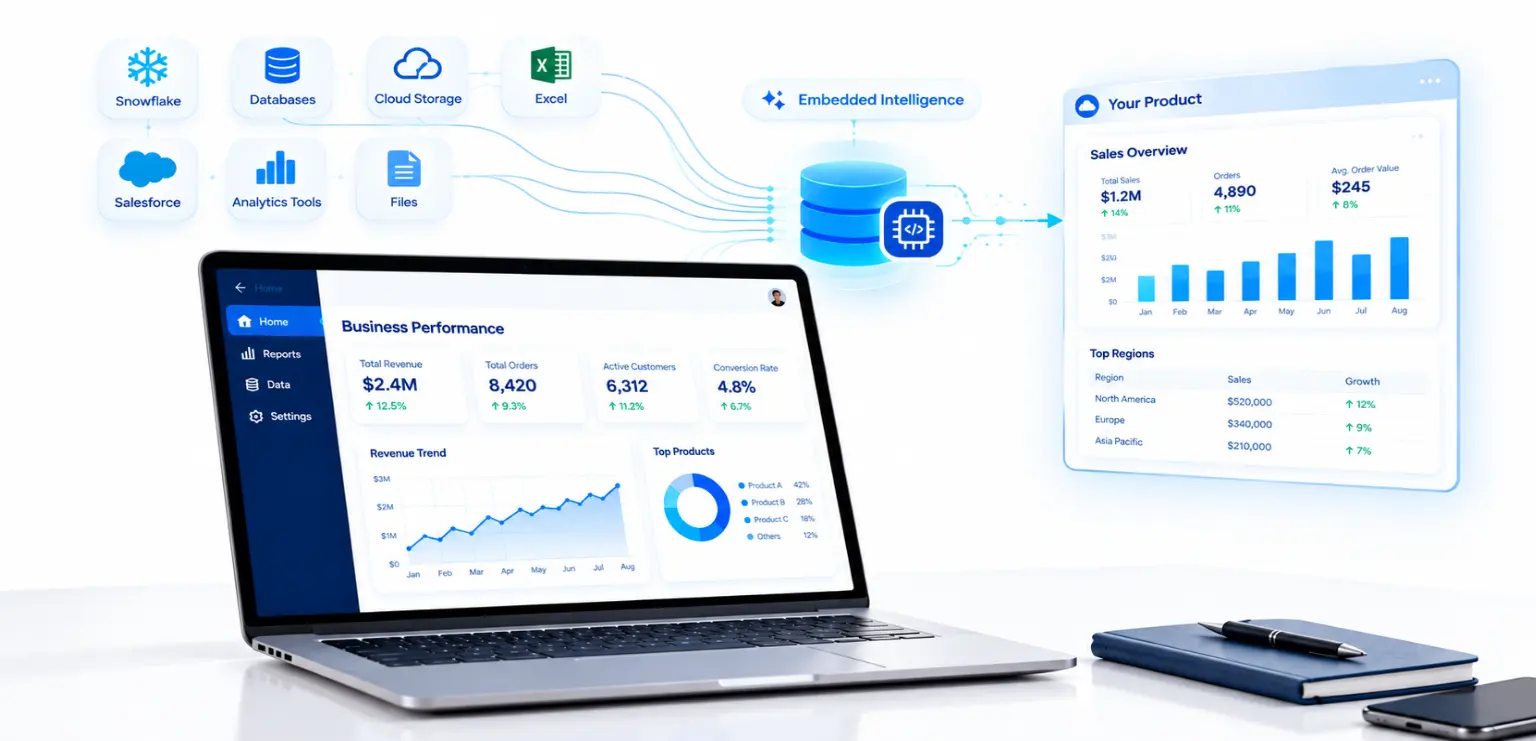
We are living in a micro-moment decision age. Waiting for a download of a report or asking someone in analytics to “pull the numbers” is so last century. Now, the need is for timely, contextual, and interactive insights—brought not in silos, but directly into the systems where individuals spend their time. Power BI Embedding responds to this need in the most seamless manner. It makes dashboards digital natives of your applications.
That shift sits inside a broader move from reporting to embedded intelligence — the transition from traditional to modern BI and seven ways business intelligence improves your business cover the ground around it.
Embedding: Not Just a Feature, a Paradigm Shift
Imagine this: You’re a manufacturer with a legacy ERP system. Your operations team logs into the ERP daily to manage orders, inventory, and logistics. Now, instead of emailing daily reports or asking staff to log into a separate BI portal, imagine if live, interactive dashboards were embedded directly into the ERP itself. No switching windows. No logging into Power BI separately. Just intelligence, right where it’s needed.
| From Separate Portal to Embedded Intelligence Separate BI portal→Switch windows→Export and email Embedded dashboard→Same application→Act immediately The shift embedding makes: analytics stops being a destination and becomes part of the application. |
Connecting those systems is as much an integration problem as a reporting one — see why data integration matters for enterprise success and how application integration benefits your company.
Row-Level Security (RLS) for Safe, Customized Insights
One of the most impressive features of Power BI Embedding is that it supports Row-Level Security (RLS). RLS prevents users from seeing data that may not pertain to them based on their roles or permissions, and therefore it is particularly suited for multi-tenant applications like customer portals or internal dashboards.
| In Practice For example, an ERP system can have a sales dashboard where each sales associate can see only his/her data. By integrating RLS-configured reports, companies can provide customized insights with strong security, revolutionizing the way sensitive information is shared within organizations. |
Paginated Reports for Pixel-Perfect Output
Another breakthrough feature is paginated report support, which is critical to produce pixel-perfect, printable documents like invoices, purchase orders, or financial reports.
For example, a logistics firm can embed a paginated report in its web portal to allow customers to download customized invoices, with RLS ensuring each customer sees only their transactions. Embedding paginated reports reduces development time, as developers can leverage Power BI’s robust reporting engine instead of building custom solutions, enhancing efficiency and user experience.
Interactive Dashboards for Self-Service Analytics
Power BI Embedding also does a great job of presenting interactive dashboards, making it easy for organizations to add dynamic, visually engaging analytics to their applications. End users can use the dashboards to explore data via filters, slicers, and drill-downs, which helps build a self-service culture of analytics.
An example is a company website with an embedded analytics dashboard showing real-time sales metrics that clients can view without having to log in to the Power BI service.
With a single user license, for example, Power BI Embedded or Microsoft Fabric capacity, organizations can share those dashboards with unlimited users, without the need for individual licenses and less money to spend.
| THAT IS THE MAGIC OF EMBEDDING |
A self-service culture needs more than a dashboard, though — how smaller teams actually adopt BI and the common BI implementation pitfalls are worth reading alongside this.
One License. Infinite Possibilities.
The most groundbreaking feature of Power BI Embedding is its licensing flexibility. Historically, sharing analytics to hundreds or thousands of users implied provisioning expensive individual licenses. However, with Power BI Embedding, companies can reach thousands of users with a single capacity-based license, eliminating the requirement for each viewer to have a separate Power BI Pro subscription.
| Power BI Embedding: One License. Infinite Possibilities. |
With the “App Owns Data” pattern, companies can verify reports at the app level so that even external users, like vendors or customers, can use dashboards without having a Power BI account. That democratizes access in ways previously unimaginable.
Whether you’re integrating a KPI dashboard into a vendor management site, an e-commerce back-end, or a university student system, you can deliver world-class analytics to all stakeholders securely and at scale. Microsoft technologies more broadly tend to compound this way across a business.
| Thinking about embedding analytics into your own application? The hard part is rarely the dashboard — it is the security model, the licensing choice and the integration with what you already run. |
Breaking Down Technical Walls
You might wonder: Is embedding only for new apps? Absolutely not.
| Power BI Embedding works just as beautifully with existing systems as it does with new builds. |
Compatible Use Cases
Whether you’re working with:
| A modern web application | |
| A legacy intranet portal | |
| A CRM system | |
| A customer support dashboard | |
| Or even a website CMS |
You can embed live reports, custom visuals, and real-time metrics with minimal lines of code.
Microsoft offers a powerful JavaScript SDK and set of APIs, making integration easy and secure. Developers can manage everything from layout and filters to role-based access and refresh policies, offering a highly customizable and secure user experience.
Where the underlying data lives shapes what you can embed — data lakes versus data warehouses, an enterprise integration blueprint and data engineering and AI collaboration cover that layer.
Conclusion: The Era of Invisible Analytics
The greatest technology is the one that stands back, fading into the background and allowing users to concentrate on what they need to do.
| Power BI Embedding is just such technology. |
Final Thoughts
As we progress further into the age of intelligent systems, Power BI Embedding is not merely a feature anymore—it’s a competitive edge. It enables organizations to craft intelligent experiences, scale with ease, and close the gap between decisions and data visualization solutions.
Through Power BI report and dashboard embedding in web applications, companies can consolidate data access, minimize admin overhead, and make users smarter through real-time insights. Whether it is securing data with RLS, creating printable paginated reports, or presenting interactive dashboards, Power BI Embedding revolutionizes data analysis by making it accessible, secure, and scalable. This embedding magic is redefining organizations’ ability to deliver analytics, enabling a new age of data-driven decision-making.
For the wider analytics picture, see business intelligence solutions, the role of data analytics in organizational success, how big data analytics shapes decision-making, business analytics as a growth driver and augmented data analytics.
| Key Takeaways
|
| Ready to put analytics inside the app your users already open? Impressico helps teams design the security model, pick the right capacity and embed Power BI into existing applications — ERPs, portals, CRMs and customer-facing systems. 🚀 Start an Embedded Analytics ProjectBusiness Intelligence Solutions → 30-minute conversation · no commitment |
Impressico Business Solutions — business intelligence, embedded analytics and data integration for organizations putting insight where the work happens.

Pankaj Dixit
Similar articles

Is Your Supply Chain Ready for the Future? The Ultimate TMS Guide
August 26, 2025
How Data Lakes and Data Warehouses Are Driving Industry-Wide Data Transformation
July 15, 2025
The Role of Apache Kafka in Modern Data Pipelines
July 2, 2025
The Role of Data Engineering and AI Collaboration in Modern Business Success
December 6, 2024
Evaluating Consistency of Ratings: Understanding and Applying Cohen’s Kappa Metric
May 21, 2024
How Big Data Analytics Impact Business Decision-Making?
February 1, 2024
