


October 26, 2026
AI Observability Tools: How to Monitor LLMs, Agents, and GenAI in Production
Enjoying this article?
Share it with the world!


AI Observability Tools Guide for Enterprises
| ⚡ Quick Answer AI observability tools collect the logs, metrics and traces a GenAI system produces, so you can see what it did, why it did it, and what it cost. They differ from traditional AI monitoring tools in what they watch: uptime and status codes tell you a service is running, while observability tells you whether the answers were right, safe and worth the money. LLM observability tools add prompt and completion capture, token accounting and quality evaluation on top of ordinary telemetry. AI agent observability goes a step further again, tracing every tool call, step and handoff so you can see where a multi-step run went wrong. Popular options include Langfuse, Arize Phoenix, LangSmith, Helicone and Datadog LLM Observability – the right pick depends on where your data must live, which frameworks you already use, and whether you need agent-level tracing and evaluations or mostly cost and request tracking. |
Say you just launched a GenAI app. The demo went well, the team is happy, and then real users start typing.
One person asks something nobody planned for. The model invents a refund policy that your company never had. A support bot calls the same tool five times in a row. And your cloud bill is up 40% this week, with no clear reason. Meanwhile the dashboard is all green, since the servers are up and every API call returned a 200.
| The Reality Here’s the catch. A GenAI system can look perfectly healthy and still give answers that are wrong, risky, or just too costly. Old-school monitoring tells you the system is running. It can’t tell you if the system is making sense. |
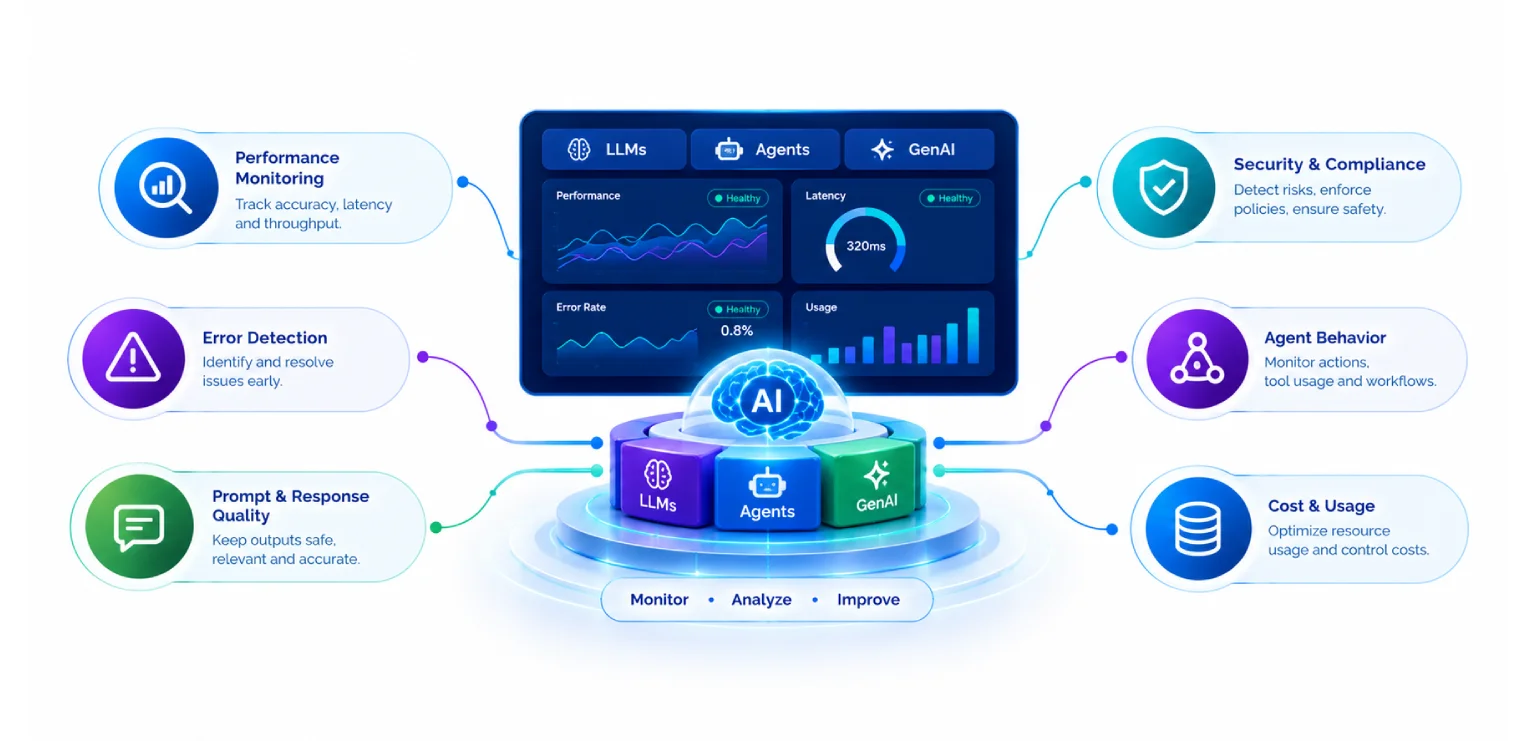
That gap is why AI observability matters so much once you leave the prototype stage. Below, we walk through what it is, which numbers to watch, how to check LLMs, agents, and RAG apps, how the main tools stack up, and how to roll it out across a big company. If you’ve been hunting for the best AI observability tools, or you just want a straight answer on how to monitor an AI agent, keep reading.
What Is AI Observability?
AI observability means collecting the data your AI system produces so you can see what it did, why it did it, and whether the result was any good. The big benefit is that you can ask new questions about a live system without pushing new code.
LLM observability is the same thing, just for apps built on large language models. It works with three kinds of data.
| Logs: The raw record. Prompts, completions, tool call payloads, and system metadata such as model name, version, and user or tenant ID. | |
| Metrics: The numbers. Token usage, latency (including time to first token, or TTFT), error rates, and evaluation scores. | |
| Traces: The full path of one request from start to finish. For example: User → Vector Search → Prompt Assembly → LLM → Guardrails → Response. |
| Key Takeaway In short, logs show what happened, metrics show how often, and traces show where it broke. You really need all three, linked together, if you want to fix things fast. |
How Is AI Observability Different from Traditional Monitoring?
People ask us this all the time, so let’s keep the answer simple.
Regular application monitoring was made for software that follows fixed rules. You give it the same input and you get the same output. When something breaks, it’s usually obvious: an error code, a crash, a page that crawls. So you watch CPU, memory, uptime, and status codes.
GenAI plays by different rules. Ask the same question twice and you may get two different answers. Failures are quiet, too. The model can sound sure of itself and still be flat wrong. Nothing crashes, so no alarm goes off.
Many teams treat LLM observability as an add-on to their current APM tools, not a swap. You still need your normal monitoring. You’re just adding one more layer on top.
What is the difference between LLM monitoring and observability?
Monitoring covers problems you already know about. You pick a number, set a limit, and get pinged when it’s crossed. “Alert me if latency goes over 5 seconds” is a good example.
Observability covers the problems you didn’t see coming. It keeps enough detail, like full traces, prompts, and the documents that were pulled in, so you can dig around and find a cause nobody predicted. Monitoring says something is off. Observability helps you work out why. Most good teams use both.
Key Metrics Enterprises Must Monitor
There are four groups of numbers worth tracking.
1. Response quality
| Answer correctness | |
| Relevance to the question | |
| Faithfulness (does the answer stick to the source material?) | |
| Hallucination rate | |
| Task success rate |
This group is the hardest to measure, and it matters most. A fast, cheap answer that’s wrong is still wrong.
2. Performance and reliability
| End-to-end latency | |
| Time to first token (TTFT), which is how long a user waits before text starts to appear | |
| Latency of each step (retrieval, model call, guardrails) | |
| Error rates from model providers | |
| API retries and timeouts |
Users notice TTFT more than total time, especially in chat. Track both.
3. Cost and resource use
| Input tokens vs. output tokens | |
| Cost per request, per user, and per tenant | |
| Token usage spikes | |
| Semantic cache hit rate |
LLM costs grow with usage. One small bug, say a prompt that suddenly gets three times longer, can turn into a big bill fast. Cost per tenant also helps you price your product fairly.
4. Security and responsible AI
| Prompt injection attempts | |
| PII exposure and redaction | |
| Guardrail violation rates |
We cover this in the security section below.
How to Monitor LLM Responses
So how do you check whether answers are any good? Four things are worth watching.
Hallucinations. These are answers that sound right but have no facts behind them. The easiest fix is to compare the answer with the source it should have used. If the claim isn’t in the source, flag it. And track the hallucination rate over weeks, not just once.
Relevance. Did the model answer what the user actually asked? Off-topic or padded replies waste tokens and cost you trust. Automated scorers can rate relevance on a sample of responses.
Factual accuracy. If some questions have a known right answer, build a “golden set” of them and run it on a schedule. When a model update or prompt tweak makes the score fall, you’ll spot it quickly.
Consistency. Ask the same thing a few different ways and see if the answers match. Big swings are a red flag, mostly in fields like finance and healthcare.
| Key Takeaway Humans still matter here. Have reviewers rate a small slice of real traffic, then check that your automated scores line up with what they think. |
How Do You Monitor an AI Agent?
An agent does more than answer. It makes a plan, picks tools, calls APIs, reads what comes back, and tries again. That’s useful, but it also gives things more room to go wrong. One bad step early on can spoil everything after it.
Here’s what to track when you monitor an AI agent:
| Tool usage: Which tools got called, with what inputs, and what came back? Did the agent pick the right one? Did it call a tool that doesn’t exist, or pass bad arguments? | |
| Multi-step workflows: How many steps did the task take? Loops and repeat calls are a clear sign of trouble, and they burn tokens fast. | |
| Task completion: Did the agent finish the job the user asked for? This is the number the business cares about most. | |
| Step-level latency and cost: One slow tool can hold up the whole run. | |
| Handoffs and escalations: How often does the agent give up and pass the work to a person? |
| Monitoring an AI Agent Tool usage Which tools, what inputs, what came back. Did it pick the right one, or call one that does not exist? Multi-step workflows How many steps did the task take? Loops and repeat calls burn tokens fast. Task completion Did the agent finish the job? This is the number the business cares about most. Step latency and cost One slow tool can hold up the whole run. Handoffs and escalations How often does the agent give up and pass the work to a person? A prompt-and-response log will not cut it for agents You need the whole execution trace – actions, tool calls and results, in order. One bad step early on can spoil everything after it. |
A prompt-and-response log won’t cut it for agents. You need the whole execution trace of actions, tool calls, and results, in order. Some tools draw this as a tree of steps, and that’s the view that shows you the exact step where the agent lost its way.
Why Tracing Is the Heart of AI Observability
Picture a user saying, “the bot gave me a bad answer.” Why? Maybe the prompt was off. Maybe the wrong documents came back. Maybe the model slipped, or a tool returned bad data. Without a trace, you’re just guessing.
A good trace holds:
| The prompt, including the system prompt and any template variables | |
| The model response | |
| Each retrieval step and the documents it returned | |
| Each tool call, with inputs and outputs | |
| Timing and token counts for every step | |
| Guardrail checks and their results |
| What a Good Trace Holds The prompt Including the system prompt and any template variables The model response What came back, verbatim Each retrieval step And the documents it returned Each tool call With inputs and outputs Timing and token counts For every step Guardrail checks And their results Root cause in minutes instead of hours Without a trace, you are just guessing. Open the trace, follow the path, find the broken link. |
With that in place, finding the root cause can take minutes instead of hours. Open the trace, follow the path, and find the broken link.
How to Monitor RAG Applications
Retrieval-augmented generation (RAG) lets a model answer from your own documents. It cuts down on hallucinations, but it adds one more place to fail: the retrieval step. If the wrong documents come back, even a great model will give a poor answer.
Look at three layers.
Retrieval quality. Did the search return the right chunks? Check recall and precision, and see how often the document with the answer lands in the top results.
Context relevance. Out of all the text you handed the model, how much did it need? Too much noise confuses it and costs extra tokens.
Groundedness. Is each claim in the answer backed by the retrieved context? This is your main guard against made-up facts. An answer can read smoothly and still have no support.
| Industry Insight When a RAG answer is bad, the cause is often retrieval and not the model. Chunk size, the embedding choice, old documents, and missing metadata filters are the usual suspects. Tracing each retrieval step makes them easy to see. |
How LLM Observability Works in a Production Architecture
Here’s how one request moves through the system:
| The request path User Input → App Logic → Vector DB Retrieval → LLM Call → Guardrail Validation → Response, with telemetry sent on the side through an async pipeline. |
Every step creates a span, which is one timed slice of the trace. Your app ships these spans to an observability backend. The key is that this happens asynchronously. The user gets the answer first, and the trace data follows in the background, so nothing slows down.
| One Request, One Trace User Input The question arrives App Logic Business rules and input handling Vector DB Retrieval The documents that should answer it LLM Call The model responds Guardrail Validation Unsafe content and policy checks Response What the user actually sees Telemetry goes out on the side, through an async pipeline The user gets the answer first, and the trace data follows in the background. Every step creates a span, and telemetry leaves the request path. |
Use open standards to avoid lock-in
OpenTelemetry (OTel) is the open standard for collecting telemetry, and it now has conventions for GenAI too. They give shared names to things like model name, token counts, and prompts. If you instrument your app this way, you can change tools later without rewriting code. Several popular tools, Arize Phoenix among them, are built around OpenTelemetry, and LangSmith has supported OTel trace ingestion since December 2024, with native export through its SDK following in March 2025. For a big company, that’s a smart way to avoid lock-in.
Popular AI Observability Tools Compared
What are the best AI observability tools?
Asking “what are the best AI observability tools?” has an honest answer: it depends on your stack, your data rules, and the size of your team. Here are the main options and where each one fits.
A few quick notes on each:
| Langfuse is one of the more widely used open-source options; its GitHub repository carried roughly 36,000 stars as of October 2026, which is a popularity signal rather than a measure of production adoption. Teams often pick it when data can’t leave their own cloud. | |
| Arize Phoenix grew out of the ML monitoring world and is strong on retrieval and embeddings. It runs in production at companies of all sizes, with your own team handling provisioning, scaling and upgrades. Teams move to Arize AX when they want that managed for them, along with production alerting, HIPAA support and SOC 2 attestation. | |
| LangSmith is easy to switch on. For LangGraph agents, it’s hard to beat for debugging and prompt work. | |
| Helicone sits between your app and the model provider, so it catches calls with little setup. It’s great for seeing costs, and its core is open source under Apache 2.0 if you’d rather self-host. Evaluation is not its job, though: the Scores API records results from whatever evaluator you run, and the docs say plainly that Helicone does not run evaluations for you. Pair it with a dedicated evaluator if you need judged quality scores. | |
| Datadog makes sense if your SRE team already lives in it and wants one view of everything. |
Prices and plans change a lot, so check each vendor’s page before you decide. And if your pick lacks an evaluator you like, you can add open-source libraries such as DeepEval or TruLens. For a deeper comparison of the same five tools, see our guide to LLM observability tools.
| Not sure which of these fits your stack? The honest answer really does depend on your constraints. We help teams work out whether they need full LLM observability tools with agent tracing and evaluations, or lighter AI monitoring tools that cover cost and requests — before a licence is signed or a self-hosted cluster is stood up. |
Real-Time Monitoring, Dashboards, Alerts, and Root-Cause Analysis
Tools only help if people act on what they show. Set up these four things.
Dashboards. Give each group its own view. Engineers want traces and latency. Product teams want task success and user feedback. Finance wants cost per tenant. Leaders want one simple page.
Alerts. Alert on what hurts users and the budget, such as error spikes, slow responses, odd cost jumps, a drop in groundedness, or more guardrail hits. Keep the list short. With too many alerts, people stop reading them.
Automated evaluations. Nobody can read every response, so let software help. In an approach called LLM-as-a-Judge, a second model scores the first model’s answers for things like relevance and faithfulness. Libraries like DeepEval and TruLens make this easier.
Root-cause analysis. When an alert fires, go from the dashboard straight to the bad traces. Compare them with good ones. Then ask what changed: the prompt version, the model version, the data, or the traffic.
LLM evaluation: measure quality, not just speed
Judge models cost money, since every evaluation is one more LLM call. Score every request and your bill could double. A smarter plan is tiered sampling:
| Capture traces for things like latency, tokens, cost, and errors. Per trace this is the cheap tier, and plenty of teams keep everything, but it is not free at high volume: trace count, payload size, storage and how long you retain the data all move the bill. Set the retention and sampling you can afford, and note that high-traffic apps often sample traces while keeping metrics in full. | |
| Run the costly LLM-as-a-Judge checks on a 5 to 10% sample, and raise that rate for risky traffic, new releases, or low-scoring areas. |
That keeps costs in check and still gives you a solid view of quality.
Security and Governance
Observability data is sensitive. It holds prompts, answers, and sometimes customer details. It also helps you catch threats. Cover these areas:
| Prompt injection: Attackers hide instructions in user input or in documents the model reads. Log and flag odd prompts, and track how often guardrails block them. | |
| Sensitive data exposure: Look for PII in prompts and responses. Mask it before telemetry leaves your app, so your monitoring tool never holds raw personal data. | |
| Access control: Not everyone needs to see every trace. Use role-based access and limit who can open raw prompts. | |
| Audit trails: Keep a record of who changed a prompt, swapped a model, or viewed sensitive data. Auditors will ask. | |
| Data residency and compliance: Rules like HIPAA and SOC 2 shape where trace data is allowed to live. Self-hosting inside your own VPC is one way to satisfy them, but it is not always mandatory. Many vendors offer regional data residency, SOC 2 attestation and signed BAAs on their managed tiers. Check what your own compliance and data security requirements actually call for before ruling a hosted option out. |
Enterprise Implementation Challenges
Rolling this out in a big company is rarely easy. Here are the problems we see most, and what to do about them.
Integration. You likely have many teams, frameworks, and model providers. Settle on OpenTelemetry and a shared tagging scheme (team, app, environment, tenant) from day one, so the data can be compared.
Scalability. Busy apps create a lot of trace data, and prompts are big. Plan for storage, retention rules, and sampling. Decide how long to keep raw prompts and how long to keep only summaries.
Overhead. Observability shouldn’t slow your app down. Send traces asynchronously and in batches.
Privacy. Redact before you send. Pick self-hosted or VPC options when the rules call for it.
People and process. A tool won’t fix anything if nobody owns the results. Name an owner for each AI app, and agree on quality targets the way SREs set service level objectives.
What you get in return
Done right, the payoff is easy to see.
| Reliability: You catch quality drops, loops, and provider problems before users complain. | |
| User experience: Quicker replies, fewer wrong answers, and faster fixes. | |
| Cost optimization: You spot pricey prompts and token spikes, add caching, and send simple tasks to cheaper models. | |
| Faster improvement: Real production data feeds the next round of tuning for prompts, models, and retrieval. |
Recommendations for CXOs
If you sponsor AI work, here’s a practical path.
1. Treat observability as a requirement, not an extra. Don’t scale a GenAI product to thousands of users without it. Put it on the launch checklist.
2. Pick tools by your constraints. Ask four questions:
| Where must our data live? | |
| Which frameworks and cloud providers do we use? | |
| Do we need agent-level tracing and evals, or mostly cost and request tracking? | |
| Do we already pay for an APM tool that could cover this? |
A rough guide: go with self-hosted Langfuse or Phoenix when privacy comes first, LangSmith if you’re on LangGraph, Helicone for a quick start on cost visibility, and Datadog if you want one pane of glass.
3. Start small, then grow. Pick one or two high-value apps. Set up tracing, a few quality metrics, and cost tracking. Prove the value in 60 to 90 days, then expand with shared standards.
4. Measure business value. Tie observability to numbers leaders already care about:
| Fewer incidents and shorter time to fix | |
| Higher task success rate | |
| Lower cost per request or per customer | |
| Fewer compliance findings | |
| Better user satisfaction scores |
5. Scale across the company. Build a small platform team that owns the shared setup: standards, templates, dashboards, redaction rules, and access policies. Let product teams plug in instead of building their own.
6. Avoid lock-in. Ask for OpenTelemetry-compatible instrumentation. Tools will change, and your data and code should outlast them.
Frequently Asked Questions
| What is AI observability? It’s the habit of collecting logs, metrics, and traces from AI systems so you can see what they did, why, and whether the output was good, safe, and affordable. |
| How is AI observability different from traditional monitoring? Traditional monitoring checks that systems are running. AI observability also checks that the answers are right. GenAI fails quietly, so you need quality, trace, and token data, not just uptime. |
| How do you monitor an AI agent? Trace every step, track tool calls and their inputs, watch for loops, measure task completion, and score outputs with automated evaluations. |
| What is the difference between LLM monitoring and observability? Monitoring watches known numbers and alerts on limits. Observability gives you deep data so you can find the cause of problems you didn’t expect. |
| What are the best AI observability tools? Common picks are Langfuse, Arize Phoenix, LangSmith, Helicone, and Datadog LLM Observability. The best one depends on your stack, privacy needs, and scale. |
Conclusion and Key Takeaways
| Observability is a must if you want GenAI to move from prototype to enterprise production. Uptime alone can’t tell you if your AI is right. | |
| Watch four groups of numbers: quality, performance, cost, and security. | |
| Tracing is the base. It shows exactly where a prompt, retrieval step, or tool call went wrong. | |
| Use tiered sampling so automated evaluations don’t blow up your bill. | |
| Redact sensitive data, control access, keep audit trails, and self-host when the rules call for it. | |
| Ongoing evaluation lets you keep improving prompts, models, and retrieval long after launch. |
At Impressico Business Solutions, we help AI Architects, ML Platform Teams, and SREs design, build, and run GenAI systems that are ready for production, with monitoring in place from day one. Whether you’re about to go live or fixing apps that already are, we’d be glad to talk.
| Key Takeaways
Tracing is the base It shows exactly where a prompt, retrieval step or tool call went wrong.
Four groups of numbers Quality, performance, cost and security – not uptime alone.
Sample in tiers Keep traces broadly, judge a slice, raise the rate where risk is.
Avoid lock-in OpenTelemetry-compatible instrumentation outlasts any one tool. |
| Get monitoring in place before you scale, not after Impressico helps AI Architects, ML Platform Teams and SREs stand up tracing, quality evaluations and AI agent observability on real production workloads – choosing the tooling around your data residency, your frameworks and your budget rather than a vendor shortlist. Request an AI observability readiness reviewExplore our AI and data engineering services |
Impressico Business Solutions – GenAI engineering, observability and production readiness for the enterprise.

IBS
Similar articles

Chunking Strategies for RAG: What Actually Works in Production
September 16, 2026
Vector Databases Compared: Pinecone vs Weaviate vs Qdrant vs pgvector for Enterprise RAG
September 14, 2026
RAG at Scale: Enterprise Retrieval-Augmented Generation Architecture
September 11, 2026
7 Signs Your Organization Is Ready for AI Agents
August 14, 2026
Governance and Safety for Autonomous AI Agents: A Practical Guide for Enterprises
August 3, 2026
Designing Multi-Agent Systems: Orchestration, Tools & Guardrails
July 24, 2026
