


April 29, 2022
Mobile App Development Process: 7 Stages from Idea to Launch
Enjoying this article?
Share it with the world!


Mobile App Development: A Small Step Towards A Major Lifestyle Change
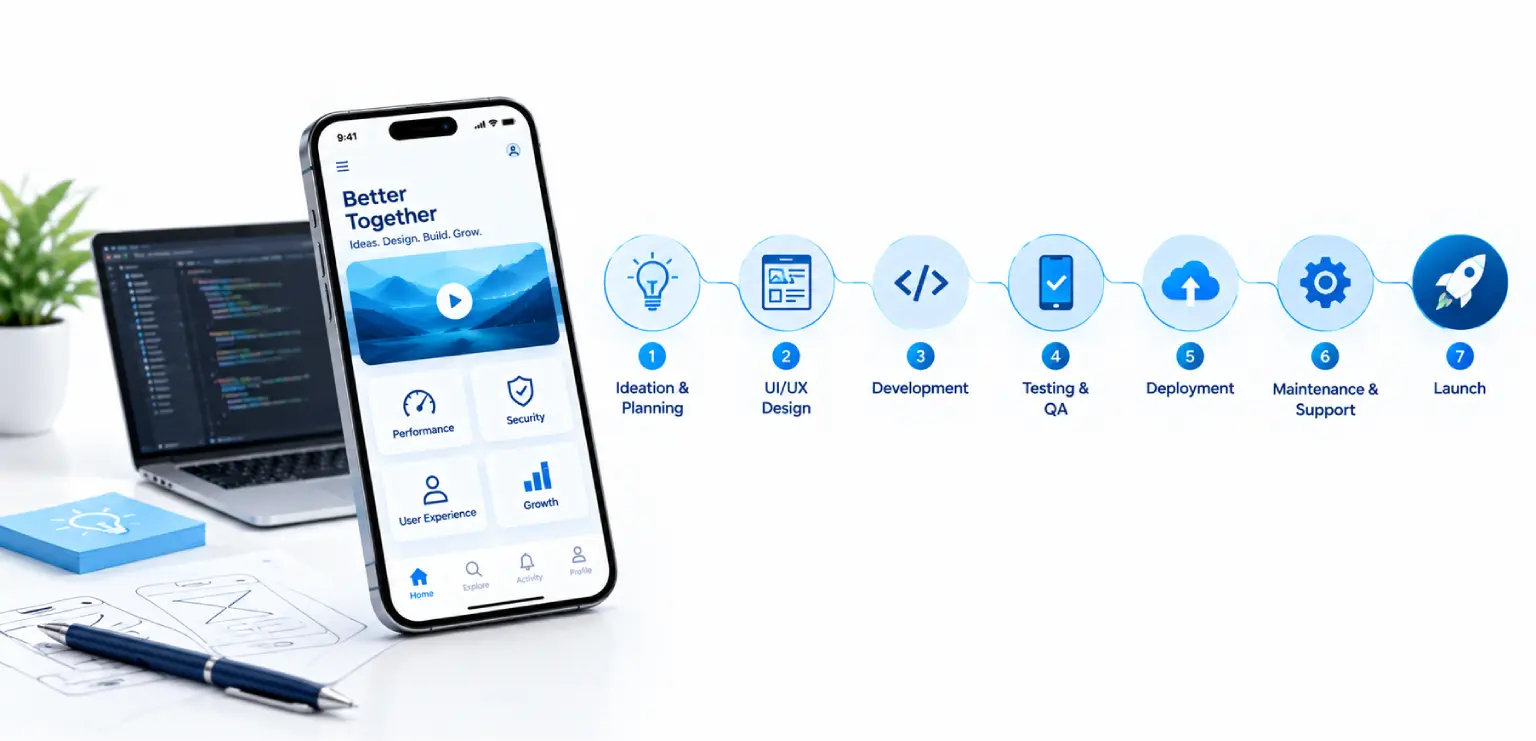
| ⚡ Quick Answer The mobile app development process usually runs through seven stages: discovery, platform choice, UX and UI design, MVP build, testing, store launch, and post-launch iteration. Each stage produces a clear output that feeds the next, so decisions made early keep later stages fast and predictable. |
A clear mobile app development process turns an idea into a product that users keep opening. Apps hold a central place in daily life: in 2025, consumers spent about 5.3 trillion hours in apps, roughly 3.6 hours per day per mobile user, according to Sensor Tower.
This guide walks through the seven app development stages in order. Each section explains what happens, who is involved, and what the stage should hand to the next one. Product owners, CTOs and founders can use it to plan a first release or check an existing roadmap.
Why a Defined Mobile App Development Process Matters
A shared process gives every role the same map. Designers, engineers, testers and stakeholders know which decisions are open and which are settled.
It also makes trade-offs visible. Scope, platform and quality choices all affect budget and timeline, and the app development stages show where each choice is made.
Cost and timeline depend on a handful of factors:
| Number of platforms and the target device range | |
| Feature scope for the first release | |
| Integrations with existing systems, payments or identity providers | |
| Security, privacy and regulatory requirements | |
| Design complexity, animation and accessibility depth | |
| The level of testing and automation the team commits to |
Stage 1: The App Discovery Phase
The app discovery phase defines what the app is for before anyone designs a screen. It is the cheapest place to change direction.
A good discovery stage answers a short set of questions:
| Goals: Which business outcome will the app support, and how will the team measure it? | |
| Users: Who are the primary users, what do they need, and in what context will they use the app? | |
| Scope: Which features belong in the first release, and which can wait? | |
| Constraints: What data, systems, budgets and compliance rules shape the build? |
The outputs are a short product brief, user personas or journeys, a prioritized feature list and agreed success metrics. Teams that invest a few focused workshops here usually move faster in every stage that follows.
Stage 2: Choose the Platform and Architecture
Platform choice decides how the app is built and maintained. There are three common paths.
Native iOS and Android
Native apps use each platform’s own languages and tools: Swift for iOS and Kotlin with Jetpack Compose for Android. They offer full access to device features and the best fit with platform conventions. Teams exploring this path can review Android app development services and iOS app development services.
Cross-Platform and Hybrid
Cross-platform frameworks share much of the code across iOS and Android. Kotlin Multiplatform shares business logic while keeping native interfaces, and other frameworks share the interface too. For products that need both platforms quickly with one team, hybrid application development is a practical fit.
Plan for Large Screens
Device range now includes tablets, foldables and desktop windowing. Android 17, released in June 2026, ignores orientation and resizability restrictions on large screens for apps that target it. Adaptive layouts belong in the architecture from the start.
The output of this stage is a platform decision, a high-level architecture and a backend and integration plan.
Stage 3: UX and UI Design and Prototyping
Design turns the feature list into flows people can use. It moves from structure to detail.
| User flows and wireframes map each journey with low-fidelity screens. | |
| Clickable prototypes let stakeholders and real users try the flow before code is written. | |
| Visual design applies brand, typography and a reusable component library. | |
| Accessibility follows WCAG guidance for contrast, text size, labels and touch targets. |
Usability sessions with a prototype give honest feedback in days. Changes at this point are quick, and they keep the build focused on what users need.
Stage 4: MVP App Development in Agile Sprints
MVP app development means building the smallest release that delivers the core value and lets the team learn from real usage. It is a focused first version of the full product.
Most teams build in two-week sprints. Each sprint delivers working, demonstrable features, and the backlog is re-prioritized as the team learns.
A healthy build stage includes a few engineering habits:
| Continuous integration and delivery (CI/CD) builds, tests and packages every change automatically. Strong DevOps and cloud foundations make releases routine. | |
| Code review on every pull request keeps quality consistent across the team. | |
| Feature flags let the team ship code safely and switch features on when ready. | |
| Analytics instrumentation is added during the build, so the first release produces useful data from day one. |
The output of this stage is a release candidate that meets the agreed scope and quality bar.
Stage 5: Testing Across Devices
Testing confirms that the app works for real users on real devices. It runs throughout the mobile app development process and intensifies before release.
The main types of mobile app testing include functional, usability, performance, security and compatibility testing. Automated suites with tools such as Espresso, XCUITest and Appium cover regression checks on every build.
Emulators and simulators suit fast feedback during development. Real devices, in-house or through cloud device labs like Firebase Test Lab, confirm behavior on actual hardware. Security checks against OWASP MASVS help protect user data.
Stage 6: App Store Launch
Launch is a stage with its own plan. Both the App Store and Google Play review submissions, so preparation saves time.
App Launch Checklist
Review these items before submitting:
| Store listing: title, description, screenshots and preview video that explain the core value clearly. | |
| Privacy disclosures: App Store privacy details and the Google Play Data safety form, matched to what the app actually collects. | |
| Beta testing: TestFlight on iOS and internal or closed testing tracks on Google Play. | |
| Technical requirements: since November 1, 2025, Google Play requires updates to apps targeting Android 15 or higher to support 16 KB memory page sizes. Check native libraries and SDKs early. | |
| Staged rollout: release to a small share of users first, watch crash and review data, then expand. | |
| Support readiness: help content, a feedback channel and an on-call plan for launch week. |
A tested app launch checklist makes each future release smoother too.
Stage 7: Post-Launch Iteration and Maintenance
Launch starts the learning loop. The data instrumented during the build now shows how people use the app.
Teams track retention, engagement, conversion and crash rates, then feed findings into the backlog. Store reviews and support tickets add qualitative insight.
Ongoing work usually falls into three streams:
| Iteration: new features and refinements based on usage data. | |
| Maintenance: OS updates, SDK upgrades, security patches and store policy changes. | |
| Growth: store optimization and engagement campaigns. The latest mobile app marketing trends show how teams attract and keep users after launch. |
Each new release then runs through a lighter version of the same mobile app development process.
Key Takeaways
Five things to carry into planning
| The mobile app development process has seven stages, and each one hands a clear output to the next. | |
| The app discovery phase sets goals, users, scope and success metrics before design begins. | |
| Choose platform and architecture early, and plan for large screens from the start. | |
| MVP app development delivers core value quickly and creates real usage data. | |
| An app launch checklist covers listings, privacy disclosures, staged rollout and current store requirements. |
Frequently Asked Questions
| What are the main stages of the mobile app development process? The main stages are discovery, platform and architecture choice, UX and UI design, MVP build, testing, store launch, and post-launch iteration. Some teams merge or rename stages, but the sequence stays similar. Each stage produces a clear output, such as a product brief, prototype or release candidate, that the next stage builds on. |
| What happens in the app discovery phase? The team defines business goals, target users, first-release scope, constraints and success metrics. Typical outputs are a product brief, user journeys and a prioritized feature list. This shared understanding keeps design and development focused and makes estimates far more reliable, because the main decisions are agreed before work starts. |
| What is MVP app development? It means building the smallest version of an app that delivers its core value to real users. It helps teams validate demand, collect usage data and refine priorities before investing in the full feature set. A good MVP is still polished and reliable within its scope. |
| What should an app launch checklist include? It should cover the store listing, privacy disclosures, beta testing through TestFlight or Google Play testing tracks, current technical requirements such as 16 KB page size support for Android 15 and higher, a staged rollout plan, and support readiness for launch week. Reviewing it before each release keeps launches predictable. |
| How long do app development stages take? Timing depends on scope, number of platforms, integrations, compliance needs and design complexity. Discovery and design are usually shorter than the build and testing stages. The most reliable way to estimate is to complete discovery first, then plan sprints against a prioritized feature list. |
Plan Your App with Confidence
A well-run mobile app development process gives your team clarity at every stage, from the first workshop to the hundredth release. Impressico supports product teams through discovery, design, engineering, testing and long-term support as part of its mobile app development services.
| Have an app idea or a roadmap to review? We start with discovery, because every estimate downstream depends on how well that stage was done. |
Impressico Business Solutions — discovery, design, engineering, testing and long-term support across the whole app lifecycle.

IBS
Similar articles

AI in Mobile App Development: What the Research Actually Shows
July 9, 2025
Mobile App Testing Process: Types, Devices and Automation Explained
November 4, 2022
How Does Custom Mobile App Development Help Boost Your Business?
October 24, 2022
Importance of Mobile App Testing: 7 Benefits for Quality and Growth
October 12, 2022
How Does Mobile App Development Benefit A Small Business?
September 18, 2022
How Mobile Apps Help Businesses Grow: 7 Growth Levers That Compound
September 16, 2022
