


August 7, 2026
Is Your Salesforce Org Ready for AI? An Enterprise Readiness Checklist
Enjoying this article?
Share it with the world!


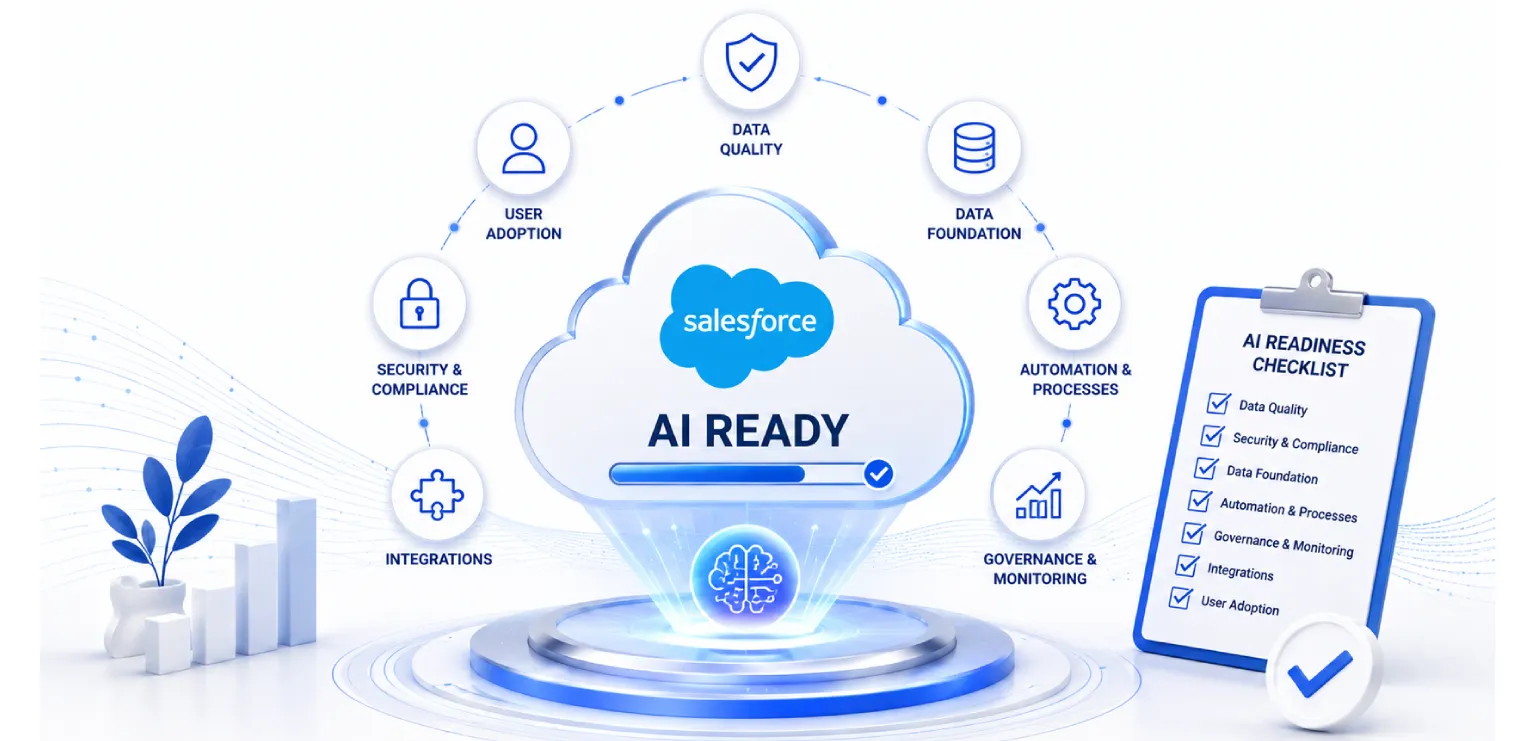
Is Your Salesforce Org Ready for AI? Readiness Guide
AI is no longer a side project inside Salesforce. Agentforce, Einstein, and predictive tools are moving into the center of daily business work now. Sales teams want AI to score leads. Service teams want AI agents to handle customer questions. Leadership wants dashboards that tell them what happens next, not just what already happened.
There’s a catch though. Salesforce’s own research found that 84% of data and analytics leaders say their data strategy needs a full overhaul before their AI plans can actually succeed, and 42% admit they don’t fully trust the accuracy of what their AI is producing (Salesforce, State of Data and Analytics Report). That’s not a small gap. That’s most large organizations quietly running AI on top of a foundation they don’t fully trust.
| Most Enterprises Are Running AI on a Foundation They Don’t Trust
|
Salesforce State of Data and Analytics; Gartner. The readiness gap is the norm, not the exception.
AI does not fix a messy CRM. It exposes it. If your org has duplicate records, broken fields, or workflows nobody remembers building, AI won’t work around these problems quietly. It learns from them, repeats them, and sometimes acts on them. And that’s a real risk once the output starts touching customers, revenue, or compliance.
This is why Salesforce AI readiness has turned into a boardroom conversation, not just something you leave to IT. Before flipping on any AI feature, it’s worth pausing and asking a few honest questions.
| START WITH THE DATA — The foundation these tools depend on is unified, trustworthy data. Our explainer on Salesforce Data Cloud covers how that foundation gets built. |
Is my Salesforce org ready for AI?
Most orgs get built up over years, not designed in one clean sitting. New fields get added for one campaign and never removed. Old processes stay in place because nobody wants to be the one who touches them. Integrations pile up on top of integrations. This is normal, but it creates a gap between what your org looks like on paper and what it actually does day to day.
AI needs a clear, current picture of your business to work well. If your org is carrying years of shortcuts and quick fixes, AI features will struggle to give reliable results, and your teams will lose trust in them fast. Once a sales rep sees one wrong AI recommendation, they usually stop trusting all of them. Trust, once lost this way, is hard to earn back.
So readiness isn’t really about whether you have the right licenses or the latest Salesforce release. It’s about whether your data, your processes, and your governance can support a system that starts making decisions on its own.
A simple way to check this is to run a Salesforce org health check before any AI rollout. Think of it like a full body checkup before starting a new fitness plan. You want to know what’s working, what’s weak, and what needs attention first, before you push the system harder.
A good org health check usually looks at:
| ▪ How clean and complete your core data really is |
| ▪ Whether your automation (flows, triggers, workflows) still does what it was built for |
| ▪ How many unused fields, objects, or apps are quietly sitting in the background |
| ▪ Whether user permissions and data access controls are set up correctly |
| ▪ How well your Salesforce org connects with other business systems |
This isn’t a one-time task either. As your business changes, your org changes with it. Making org health checks a regular habit, not a one-off project, is one of the simplest ways to stay ahead on AI readiness.
What data quality does Salesforce AI need?
Here’s a simple truth: AI is only as good as the data it learns from. Salesforce AI tools look at your existing records, patterns, and history to make predictions or take action. If that data is incomplete, outdated, or duplicated, the AI carries those same problems straight into its output.
CRM data quality is the real foundation of any AI initiative. Not the AI model itself. Not the license tier you’re on. The data. Gartner has estimated that poor data quality already costs the average organization around $12.9 million a year, well before AI even enters the picture (Gartner). Add AI on top of bad data, and that cost doesn’t shrink. It compounds.
A few common data problems quietly damage AI performance more than people expect:
|
|
|
|
|
Five everyday data problems that degrade AI output more than teams expect.
Duplicate records. If the same customer exists as three different contacts, AI can’t tell which one is accurate. It may split insights across all three, or worse, learn from the wrong one entirely.
Missing fields. If half your opportunity records are missing close dates or deal stages, AI predictions on pipeline and forecasting will be shaky at best.
Inconsistent formatting. Phone numbers stored in five different formats, company names spelled differently across records, date formats that don’t match. All of it confuses AI models trying to find patterns.
Stale data. Contacts who left their company two years ago. Accounts marked active that have gone completely quiet. Deals stuck in a stage nobody has touched in months. AI trained on stale data gives stale answers, no matter how advanced the model is.
Disconnected data. If your Salesforce data doesn’t talk to your finance system, your support platform, or your marketing tools, AI only ever sees part of the story. Half a picture leads to half-right decisions, and sometimes worse.
Fixing this doesn’t need to be dramatic or take a year. Start with your most used objects, usually Accounts, Contacts, Leads, and Opportunities. Clean these first, since they feed almost every AI feature downstream. Then set up ongoing data quality rules so the mess doesn’t quietly build back up again.
| THE AI STACK — Once the data is clean, it’s worth understanding how the pieces fit: our guide to AI-powered Salesforce — Agentforce, Einstein & Data Cloud shows how they work together, and Salesforce Einstein AI use cases shows what they deliver. |
What should you fix before enabling Agentforce?
Agentforce is Salesforce’s push into autonomous AI agents that can take action, not just suggest one. That’s a big shift, and it deserves to be treated as one. A chatbot that recommends a response is fairly low risk. An agent that actually replies to a customer, updates a record, or triggers a workflow carries a lot more weight. (New to it? Start with What is Salesforce Agentforce.)
Before switching this on, a few things are worth fixing first.
Clean up your knowledge base. Agentforce often pulls answers from your existing knowledge articles, FAQs, and case history. If this content is outdated or contradicts itself, the agent will confidently hand out the wrong answer, and it won’t know it’s wrong.
Review your automation rules. Old flows and triggers that quietly conflict with each other can cause an AI agent to take unexpected actions. Map out what automation currently runs and remove anything outdated before layering AI on top of it.
Set clear guardrails. Decide upfront what an AI agent is and isn’t allowed to do. Can it issue a refund on its own? Can it close a case without a human reviewing it first? Can it change contact details? These boundaries need to be built in from day one, not bolted on after something goes wrong.
Test with real scenarios, not just demos. A demo environment with clean sample data will always look impressive. That’s the point of a demo. Test with your actual messy, real-world data and real customer scenarios before rolling anything out widely.
Involve compliance and security early. If your industry has regulatory requirements around data handling or customer communication, legal and compliance should review the AI setup before launch, not after something has already gone out to a customer.
Skipping these steps doesn’t save time, even though it feels like it does in the moment. It just moves the cost further down the road, usually showing up as customer complaints, compliance headaches, or a rushed rollback nobody wanted to do.
| DO IT RIGHT — How you embed these agents matters as much as when. See embedding AI in Salesforce and real-world Einstein Copilot use cases for what good looks like in practice. |
How do you prepare a CRM for AI?
Pulling this all together, preparing your CRM for AI really comes down to five practical steps.
| How to Prepare Your CRM for AI: Five Steps
|
Five practical steps to take your CRM from messy to AI-ready — in order.
1. Run a full org health check. Understand what you’re actually working with before adding anything new on top of it.
2. Fix your core data quality. Focus on the objects your teams use every day. Remove duplicates, fill in missing fields, and standardize formats across the board.
3. Simplify before you automate further. Remove unused fields, retire old workflows, and clean up integrations that nobody needs anymore. AI performs better in a simpler environment, not a busier one.
4. Set governance and access controls. Decide who can see what, who can approve AI actions, and how mistakes get caught and corrected when they happen, because they will happen.
5. Start small and expand gradually. Pick one use case, get it right, learn from it, then expand from there. Trying to switch AI on across every department at once usually creates bigger problems that are much harder to trace back to their source.
None of this needs to happen overnight, and it doesn’t need to be done alone either.
| A STRUCTURED ROLLOUT — Phasing matters. Our Salesforce implementation guide and enterprise Salesforce implementation guide lay out how to sequence it without disrupting the teams who rely on Salesforce daily. |
Why this matters for leadership, not just IT
For CTOs and CXOs, this isn’t a technical detail you can delegate and forget about. AI decisions made inside your CRM affect customer trust, revenue accuracy, and compliance exposure, all at once. A wrong AI-driven decision in front of a customer reflects on the whole business, not just the system that happened to make it.
Getting Salesforce AI ready is really about protecting the investment you’ve already made in your CRM, and making sure the next investment in AI actually pays off, instead of quietly stacking new problems on top of old ones.
| THE BIGGER PICTURE — For how the platform fits together beyond AI, see Salesforce cloud solutions explained, and why the role of a Salesforce consulting partner matters for getting readiness right. |
How Impressico Business Solutions can help
At Impressico Business Solutions, we work with enterprise teams to run detailed Salesforce org health checks, clean up CRM data quality issues, and prepare Salesforce environments for AI features like Agentforce and Einstein, all without disrupting the teams who rely on Salesforce every single day.
If you’re planning an AI rollout and want to know exactly where your org stands before you begin, we can help you find out. A short assessment now can save months of cleanup later.
| IMPRESSICO · SALESFORCE SERVICES Know exactly where your org stands before you flip on AI Impressico Business Solutions runs detailed Salesforce org health checks, cleans up CRM data quality issues, and prepares your environment for Agentforce and Einstein — without disrupting the teams who rely on Salesforce every day. Our Salesforce services team can tell you exactly where your org stands before you begin, because a short assessment now saves months of cleanup later.
|
Impressico Business Solutions — Helping enterprises get Salesforce AI-ready so the next investment in AI actually pays off.

IBS
Similar articles

Salesforce Financial Services Cloud vs Sales Cloud: Which One Fits Wealth, Banking, and Insurance
September 23, 2026
Salesforce Industry Clouds: When Vertical CRM Beats Sales Cloud
September 18, 2026
Agentforce Readiness: What to Fix in Your Salesforce Org First
August 17, 2026
Salesforce Data Cloud Explained: Unifying Customer Data for AI
July 29, 2026
Einstein AI Use Cases Across Sales, Marketing & Service Cloud
July 13, 2026
What is Salesforce Agentforce? Autonomous AI Agents for Sales & Service
July 3, 2026
